



Enterprise stacks are complex, but connecting them to your website shouldn’t be.
Modern marketing teams rely on a connected stack — CMS, marketing automation, analytics, and CRM working together in real time. But too often, the website sits outside that system, relying on fragile integrations or extra developer support to capture and sync lead data. And when that happens, data quality usually takes a hit.
Webflow’s extensibility and enterprise-grade integrations are designed to close that gap.
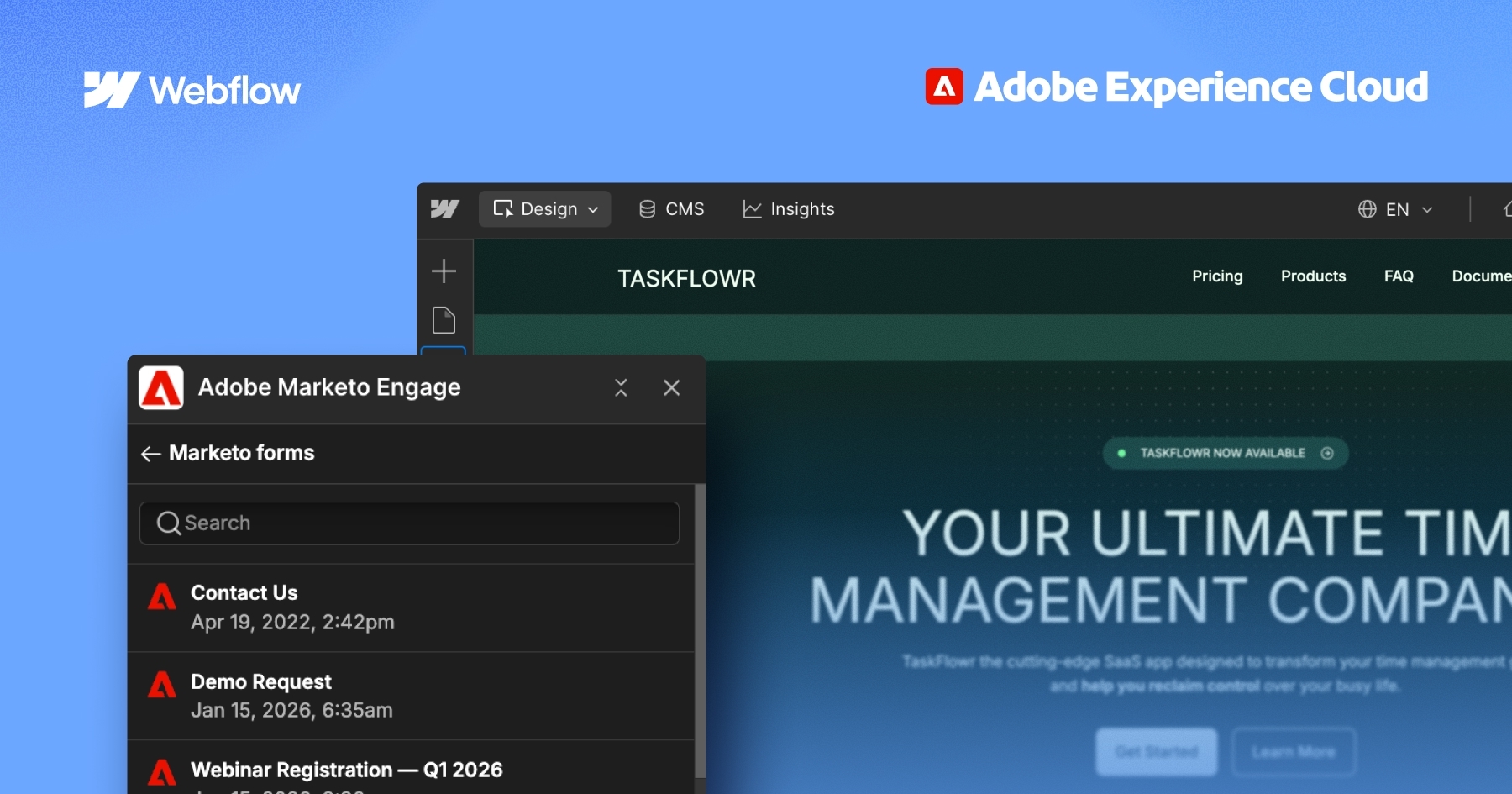
Today, we’re introducing the Adobe Marketo Engage App for Webflow — an integration that brings Marketo forms directly into Webflow, so brand experience and marketing automation finally work in lockstep.
This new app is now available for all Webflow customers to install from the Marketplace.
An integration built for modern marketing teams
The Adobe Marketo Engage App for Webflow is an integration that simplifies how marketing teams connect, build, and publish Marketo forms on their Webflow sites.
This launch also marks a significant step in Webflow's growing partnership with Adobe. As two platforms trusted by enterprise marketing teams, Webflow and Adobe share a common goal: giving marketers the tools to move faster, work smarter, and deliver exceptional digital experiences without operational overhead. The Adobe Marketo Engage App is the first expression of what that partnership looks like in practice — a co-developed integration built to the standards enterprise teams expect.
Enterprises don’t invest in integrations — they invest in outcomes they can trust. Every new connection in the tech stack has to justify itself by accelerating workflows, improving campaign performance, or reducing operational risk and cost.
That’s exactly how we’ve approached our partnership with Webflow. This integration reflects a shared commitment to security, governance, and enterprise-grade performance — delivered through an experience that feels seamless and intuitive for marketers. It’s a strong signal of where the Adobe and Webflow partnership is headed: deeper alignment, tighter integrations, and meaningful outcomes for our joint customers.
- Sean Gubler, Head of Partner Integration, Experience Cloud, Adobe
With this app, you can design and style Marketo forms directly in the Webflow Designer, without any custom CSS. A live visual preview renders as you build, and upon publishing, the live Marketo form is automatically swapped in. This preserves structure, styling, and full Marketo functionality including submission handling, validation, and progressive profiling.
This means you can:
- Visually design forms inside Webflow without custom code or CSS
- Preview forms as you build, with the live Marketo form automatically rendered upon publishing
- Track and manage form submissions in Marketo, ensuring data hygiene and accurate reporting


















Bringing brand and pipeline closer together
For marketing teams, brand consistency isn't just a design concern — it's a performance lever. By connecting Webflow and Marketo through a supported, native integration, teams eliminate fragile embeds and manual coordination, protecting the brand experience while ensuring clean data flow at scale.
The Adobe Marketo Engage App for Webflow makes this the default, not the exception. By bringing form design and marketing automation into one connected workflow, teams can spend less time on coordination and more time on the work that drives results.
Marketing teams shouldn't have to choose between a great brand experience and reliable demand generation. By bringing Marketo forms directly into the Webflow canvas, we're giving teams the ability to move faster, stay on-brand, and trust that their data is clean.
- Jason Khan, Director, Product Management, Webflow
Starting April 20, 2026, join Webflow at the Adobe Summit Virtual Session, where Sean Gubler and Jason Khan will discuss the business case for a unified web and automation experience. Register here.
Get started
The Adobe Marketo Engage App for Webflow is available now to all Webflow customers.
To get started, visit the app listing or read the Help Center article for installation guidance.