

Remember the days where we had blinking banners and fully static — sometimes, all too colorful — webpages?
Yeah, we’ve come pretty far with the World Wide Web — hello, AI.
Now, brands are rethinking user experience with one powerful tool: motion design. Motion design serves both function and feel, which are crucial to a user’s digital experience.
A great digital experience flows effortlessly, resonates emotionally, and tells a story — something that motion design can help you achieve. Motion design is the practice of adding animated visuals to convey ideas and guide interactions. It blends graphic design, animation principles, and user experience tactics to deliver intuitive, engaging moments.
Though motion design has been around in film titles and broadcast media for decades, its role in interactive web experiences has grown as online tools become more accessible. Users now expect fluidity, feedback, and fast-loading digital interfaces — especially with AI. Let’s dive into how motion design can strengthen your entire user experience (UX).
Why motion design matters
Everybody creates content, but motion design stands out by catching attention and conveying messages faster. A 2024 study found that techniques like staging and tracing animations in time-series visualizations help users identify patterns more accurately and quickly, effectively reducing cognitive load.
Plus, animations convey messages much faster than static images would. Korean food delivery app, Baemin, turned their static icons into animated ones to give users more clarity. For example, their “Order Together” service icon was initially interpreted as a friend-adding icon, but after animating it, it explained the meaning of togetherness and helped users understand its actual function.
Tools for motion design
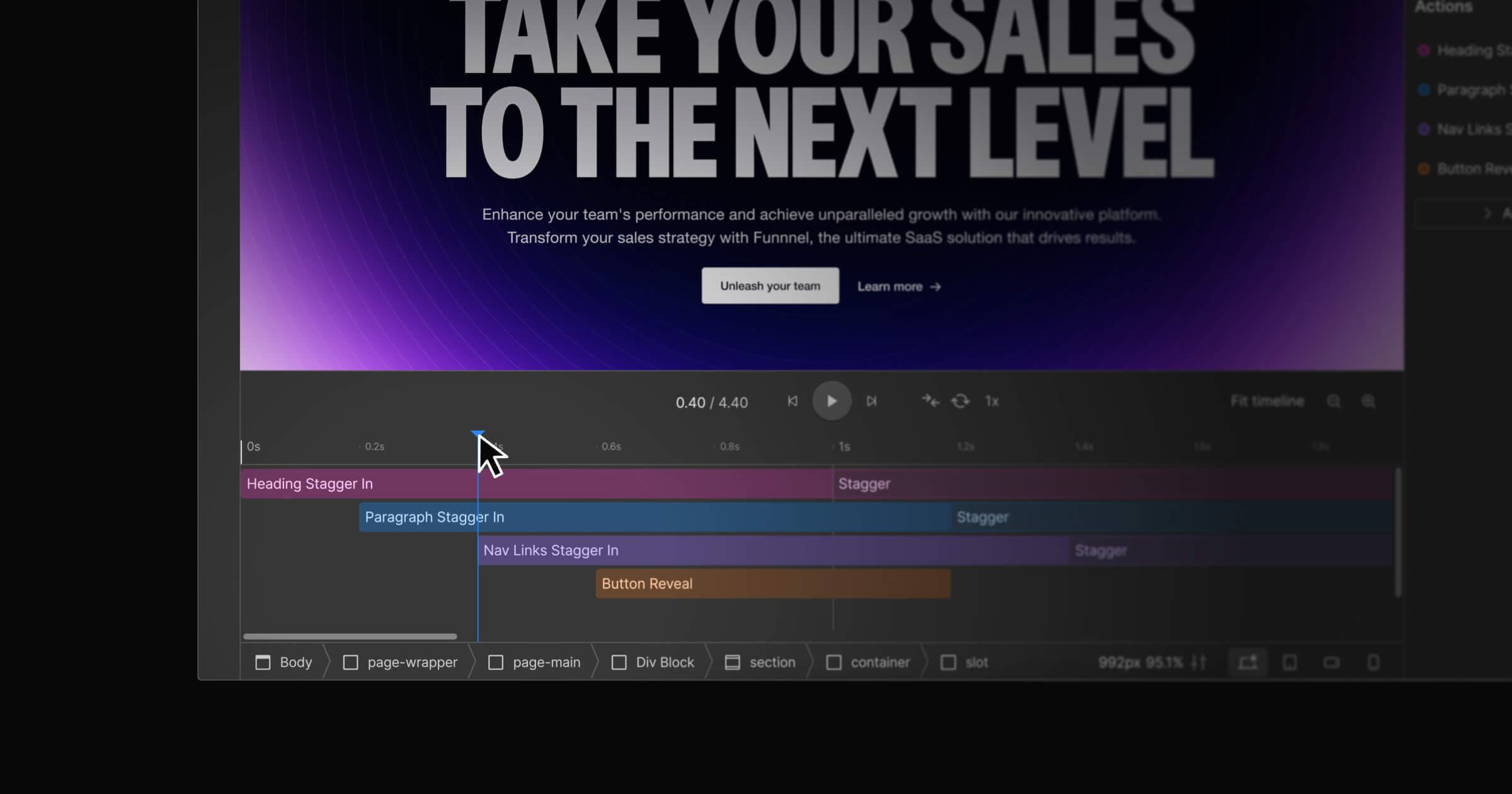
Commonly, designers rely on software like After Effects or Webflow’s visual canvas. Each offers ways to layer and time animations smoothly, without hand-coding complex scripts.
Commonly, designers rely on tools like After Effects or Webflow’s visual canvas to create and refine motion. These environments make it easy to layer and preview animations smoothly — without hand-coding complex scripts. This allows teams to explore timing, easing, and hierarchy early in the design process.
As motion becomes part of core UX infrastructure — not just a finishing touch — these tools also act as bridges between design and implementation. When motion decisions are made in systems designers and developers both understand, animations become more consistent, scalable, and easier to maintain across products.
How teams are scaling motion today
With traditional tools, animations risk compromising website performance, especially load times. Adding motion also created bottlenecks due to needing specialized skills, endless rounds of QA, and developer negotiations.
But things are different now.
There are more tools that push motion without having to design from scratch. Even LottieFiles for Webflow allows you to drag-and-drop from a library of over 100,000 free and ready-to-use lightweight, scalable Lottie animations into your Webflow site — without needing to code. And if you’re an existing LottieFiles user, you can access your team’s private animations and insert them into your Webflow site too.
Moreover, LottieFiles for Webflow lets you personalize animations with your app’s color palette. It also supports trigger-based animations like page load, parallax, and reveal to create a more connected UX.
Real examples of motion in brand UX
Elements that enter or respond on a page can signal tone, brand personality, and intention. For example, a simple bouncing animation could create a playful tone, while scale and timing animations can grab attention.
But not all motion is created equal. Different file formats such as Lottie animation, a JSON-based file format, are more lightweight compared to GIFs or MP4s. Lottie is ideal for digital experiences as it’s infinitely scalable without pixelation with multi-platform support, libraries, and interactivity — great for interactions like scrolling, clicking, and hovering. And because of its small file size, it doesn’t compromise page load speed.
Lottie also offers an even smaller, more optimized file format, dotLottie, which bundles one or more Lottie animations in one, helping to improve load times and memory usage.
But don’t take just our word for it, here are some other real-life examples of motion in UX:
CNN Create turns storytelling into a moving experience
CNN Create’s Booming Bangladesh story used simple Lottie animations to complement the narrative.
CNN Create saw the value of animations with their ‘Booming Bangladesh’ story as they used animations with a long vertical scroll. Their smooth and subtle Lottie animations guided users through the narrative without causing distractions or breaks in engagement, creating an informative digital experience. As a result, the average time spent was two and half minutes across 30,000 unique visitors.
Gojek optimizes performance & app speed with dotLottie
Photo cap: Gojek uses rich animations to convey their services.
Gojek, a Southeast Asian multi-service tech platform, uses animations to convey various service elements in their user interface (UI). The team implemented dotLottie to include more animations without exceeding app limits. Their “Safe Trip Plus” animation shrank from 844 KB to just 107 KB.
Wise improves customer comprehension with user-friendly animations
Photo cap: Wise uses dotLottie animations throughout their UI.
Wise, a global fintech company, implemented dotLottie animations in their simplified UI, product demos, photography, and storytelling— solidifying Wise’s reputation in providing a user-friendly and dynamic user experience. Adding these animations ultimately increased user comprehension of Wise’s key features.
Spoon brings emotional resonance with visually-rich animations
Photo cap: Spoon translates emotion with Lottie animations.
Global tech startup Spoon redefines social connection through an audio-based content platform. Understanding that emotions like gratitude and encouragement are difficult to capture with static visuals, they turned to lightweight, non-disruptive Lottie animations with file sizes of under 1MB.
Can AI help with adding motion to your website?
In short: yes, it can help with motion…but in a more supportive role. AI can help with layout ideas, auto-tagging content, or even recommending design patterns based on your data.
However, AI can’t feel the way we do — at least not yet. Your focus should be on building empathy, brand context, and UX thinking, such as while designing a screen transition or understanding how elements react to a tap. AI helps move the creative process along faster, so you can focus on implementing motion that evokes emotion and resonates with your audience.
Motion does more than delight — it delivers results
Motion is no longer for just delight. It builds trust, sets the site direction, and enhances brand feel — key factors that help drive results.
Motion is a language you speak to reach your users. While AI and no-code tools handle the heavy lifting, motion can be your differentiator in any industry.
Motion brings clarity, reduces user friction, and creates memorable interactions. It’s a versatile approach that helps people understand, trust, and enjoy your product from the first click.



















UX design websites from the Webflow community
Find inspiration from the Webflow community for your UX design website.